
Knowledge Base Software: Complete Guide to Features, Benefits, and How to Choose the Right Tool
Introduction
Information is one of a company’s most valuable assets in today’s digital business environment. However, information is only helpful when it is well-organised, accessible, and easy to comprehend. Knowledge base software is useful in this situation.
This is a challenge that many firms face. Emails, chat messages, spreadsheets, shared drives, support tickets, and sporadic documents all contain important information. Workers squander time trying to find solutions. Clients have to wait too long for assistance. Managers keep using the same justifications. Confusion, inefficiency, and dissatisfaction eventually result from this.
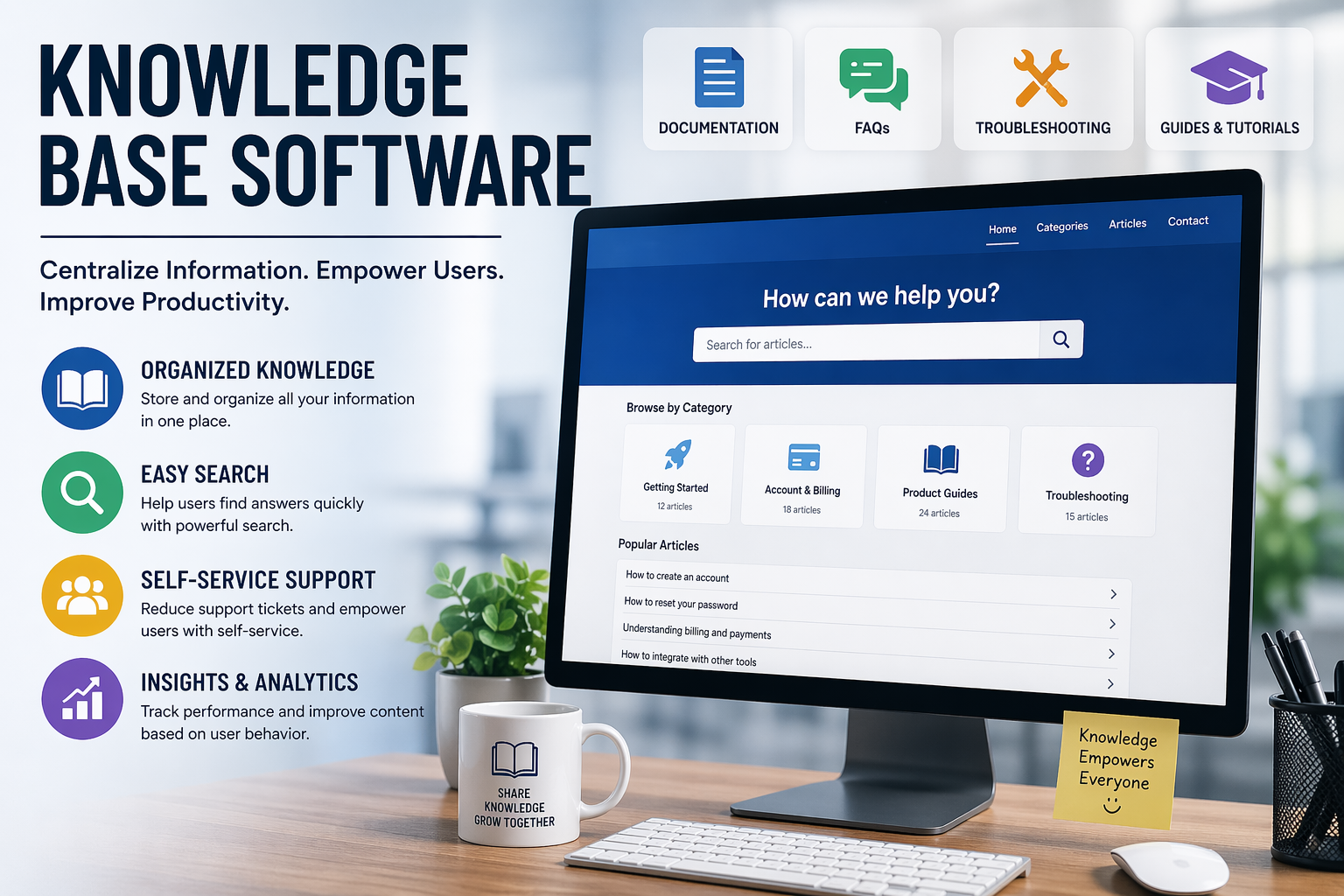
Knowledge base software solves this problem by giving businesses one central place to store and organize information. It helps teams create help articles, internal documentation, FAQs, troubleshooting guides, onboarding material, and process documentation. Instead of relying on one person to remember everything, the company builds a system where knowledge can be shared, updated, and accessed by the right people at the right time.
Knowledge base software is more than just a support tool for many businesses. It can also be a productivity tool, a training tool, a customer experience tool, and a growth tool all at the same time. A well-built knowledge base can lower support costs, speed up response times, help new employees learn faster, and make customers feel more confident using a product or service.
This article talks about what knowledge base software is, how it works, why it’s important, what features to look for, and how to pick the best one for your business.
What is software for a knowledge base?
Knowledge base software is a digital system that helps businesses create, manage, organize, and share information in a way that makes sense. It acts like a central library for all the information a company has. Instead of storing information in many different places, everything is kept in one searchable platform.
A knowledge base usually includes articles, guides, tutorials, troubleshooting steps, policies, onboarding pages, frequently asked questions, and process documents. Some knowledge bases are designed for employees inside the company, while others are built for customers or website visitors.
An internal knowledge base is used by teams inside the organization. It may include employee handbooks, standard operating procedures, internal workflows, technical documentation, and training resources.
An external knowledge base is used by customers or users. It may include product setup instructions, account help, billing questions, software tutorials, and troubleshooting content.
The main idea is simple: instead of asking the same question repeatedly, people can search the knowledge base and find an answer quickly.
Why Knowledge Base Software Is Important
Knowledge base software is important because it makes it easier for businesses to grow. Without a system in place, employees often have to rely on their memory, personal experience, or team members for answers. This slows down work and makes things less consistent.
When knowledge is organized in software, several things improve at once. First, teams waste less time searching for information. Second, customers can solve problems on their own. Third, new employees can learn more quickly. Fourth, managers can make sure everyone follows the same process.
This is especially important for growing businesses. A small company may survive with informal communication, but as it grows, the old way of handling information becomes inefficient. The more people you add, the more important it becomes to create a single source of truth.
Knowledge base software also improves customer satisfaction. Most users do not want to wait on hold or send multiple emails just to find a simple answer. They want clear instructions and immediate help. A good knowledge base gives them that.
Main Benefits of Knowledge Base Software
One of the biggest benefits of knowledge base software is self-service. Users can search for answers and solve problems without needing direct help from a support agent. This reduces pressure on customer support teams and shortens response times.
Another major benefit is consistency. When the same answer is documented in one place, everyone follows the same information. This is useful for support, onboarding, internal training, and compliance.
Knowledge base software also improves productivity. Employees spend less time asking repeated questions and more time doing actual work. Support agents can focus on complex issues instead of basic questions. New hires can get up to speed without waiting for someone to train them every step of the way.
It also supports scalability. As a business grows, the amount of information grows too. Without a proper system, knowledge becomes harder to manage. With knowledge base software, the company can keep expanding without creating chaos.
Another important benefit is better customer experience. Customers value fast answers. If they can find help on their own, they usually feel more satisfied and more confident using the product or service.
Finally, knowledge base software can help with data and insight. A lot of platforms keep track of what users search for, which articles are useful, and where people have trouble. This information can be used to make content better and find problems with products.
Types of Knowledge Base Software
There are different kinds of knowledge base software depending on the business need.
Internal Knowledge Base Software
This type is designed for employees. It stores internal policies, company procedures, HR documents, onboarding guides, sales scripts, and process manuals. Internal knowledge base software is especially useful for remote teams, distributed teams, and larger organizations with many departments.
External Knowledge Base Software
This type is designed for customers, clients, or website visitors. It has FAQs, product guides, troubleshooting documents, account instructions, and support articles. The goal is to help users fix their own problems.
Technical Documentation Software
Some knowledge base software is built for technical teams. It may include API guides, integration instructions, software documentation, and developer resources. This is common for SaaS companies and software products.
Wiki-Based Knowledge Base Software
A wiki-style knowledge base allows multiple people to create and edit content collaboratively. It is flexible and useful for teams that need a more open documentation structure.
Key Features to Look For
Not all knowledge base software is the same. Some tools are simple and basic. Others are more advanced and feature-rich. When choosing a platform, there are several important features to look for.
Search Functionality
A knowledge base is only useful if people can find what they need quickly. Strong search is one of the most important features. It should allow users to search by keyword, topic, or question and get relevant results fast.
Content Organization
A good knowledge base should support categories, folders, tags, and sections. This makes it easier to organize articles and help users browse content by topic.
Easy Editing Tools
The platform should have a simple editor so content can be written, updated, and published without technical skills. If updating articles is difficult, the knowledge base will quickly become outdated.
Access Control
Not everyone should be able to see every piece of information. Good knowledge base software should let you choose who can see, edit, or publish content.
Analytics
Analytics show you how the knowledge base is being used. You can see which articles are getting the most views, what users are looking for, and where content might be missing or unclear.
Version History
Version control lets teams keep track of changes and go back to older versions of content if they need to. This is helpful when a lot of people are working on the same documents.
Integrations
A strong knowledge base should connect with other tools such as help desks, live chat systems, CRM platforms, or project management software.
Mobile-Friendly Design
Users should be able to access the knowledge base on phones and tablets just as easily as on desktop devices.
How Businesses Use Knowledge Base Software
Different teams use knowledge base software in different ways.
Customer support teams use it to reduce repetitive tickets and give users instant access to help articles. Sales teams may use it to store product information and answer buyer questions. HR teams use it to share policies, information about benefits, and onboarding documents. Operations teams use it to write down how things work and how to do them. Technical teams use it to store instructions, troubleshooting steps, and implementation details.
In other words, knowledge base software is not limited to one department. It can support almost every part of a business.
How to Choose the Right Knowledge Base Software
Choosing the right knowledge base software depends on your goals. The best tool for one company may not be the best tool for another.
If your main goal is to help customers, pick software that has good public search, help desk integration, and easy article publishing. If your main goal is to keep track of your own documents, focus on access control, team collaboration, and structured content management. If your main goal is to write technical documents, pick a platform that supports code blocks, developer content, and clear navigation.
You should also consider ease of use. If the software is too complicated, your team may avoid using it. A knowledge base only works when people actually maintain it.
Scalability matters too. A small business may only need a basic knowledge base now, but the platform should still work as the company grows.
Pricing is another factor. Some platforms are affordable and simple. Others are more expensive but offer more advanced features. The right choice depends on budget and long-term needs.
Integration is also important. If the knowledge base can connect with your help desk, website, or internal systems, it becomes much more useful.
Best Practices for Using Knowledge Base Software
To get the best results, a knowledge base should be built carefully.
Start with a clear structure. Group content into categories that make sense to users. Keep articles focused on one topic at a time. Use simple language so the content is easy to read. Avoid unnecessary jargon unless your audience is technical.
Keep the content updated. Old articles can confuse users and damage trust. A knowledge base should be treated like a living system, not a one-time project.
Use headings and formatting to make articles easier to scan. Most people do not read help articles word by word. They scan for the answer they need.
Review analytics regularly. If users are searching for something and not finding it, create a new article or improve the existing one.
Encourage collaboration. If different teams contribute knowledge, the system becomes more complete and accurate.
Common Mistakes to Avoid
One common mistake is creating too much content too quickly without proper organization. A messy knowledge base is almost as bad as no knowledge base at all.
Another mistake is writing articles that are too long, too technical, or too vague. Users want useful answers, not complicated explanations.
Some companies also forget to update old content. That creates frustration when users follow instructions that no longer work.
Another issue is poor search functionality. If users cannot find what they need, the platform loses value.
Finally, some teams fail to promote the knowledge base internally or externally. People need to know that it exists and where to find it.
Knowledge Base Software and SEO
Public knowledge bases can also help with SEO. When your help articles answer real questions, they may appear in search engine results and bring organic traffic to your website.
This is especially useful for companies that want to reduce support work while also attracting new visitors. For example, articles about setup, troubleshooting, account access, and product use often match what users search for online.
A well-optimized knowledge base can support both user experience and search visibility. This is one reason many companies invest in it.
The Future of Knowledge Base Software
Knowledge base software is becoming smarter and more advanced. AI is playing a bigger role in search, recommendations, and content suggestions. Some platforms can now suggest articles automatically based on user questions or behavior.
Automation is also improving. Companies can update content more efficiently, route users to the right help faster, and reduce manual work.
At the same time, the core purpose of knowledge base software remains the same: make knowledge easier to access and easier to use.
In the future, search will probably get better, navigation will be faster, personalization will be better, and it will work better with other business systems.
Final Thoughts
Knowledge base software is one of the most useful tools that modern businesses can use. It makes it easier for customers to help themselves, boosts productivity, keeps teams organized, and makes managing information easier.
A good knowledge base can save time, clear up misunderstandings, and make the experience better for both users and employees, no matter how big your business is.
The true power of knowledge base software goes beyond just storing information. It means turning data into a system that people can rely on every day.
If your company still gets the same questions a lot or has trouble keeping information organized, now is the perfect time to improve your knowledge base.
About The Author


Hamza Malik
Keep Reading
Knowledge Base Software: Complete Guide to Features, Benefits, and How to Choose the Right Tool
Introduction Information is one of a company’s most valuable assets in today’s digital business environment. However,…