The Best Free AI Tools for College Students: The Smart Way to Study, Write, and Save Time
In This Article
- Why the Best Free AI Tools for College Students Matter Right Now
- How to Pick the Best Free AI Tools for College Students
- The Best Free AI Tools for College Students, Sorted by What They Do
- 1) ChatGPT: the all-in-one tool for brainstorming and writing drafts
- 2) Google Gemini: great for fast help, plans, and summaries
- 3) NotebookLM: the best free AI research aid for class materials
- 4) Perplexity: quick research with a search-first approach
- 5) Grammarly: one of the best free AI writing tools for essays
- 6) Canva AI: the easiest free way to make slides, posters, and visuals
- 7) Otter: perfect for lectures, meetings, and group projects
- 8) Microsoft Copilot: a simple free assistant for quick help
- A Simple Student Workflow That Actually Works
- What Free AI Tools Should Not Do for You
- Best Free AI Tools for College Students by Use Case
- FAQ: Best Free AI Tools for College Students

A student sits at a desk on a Tuesday night before midterms with three tabs open: a half-finished essay, a lecture recording, and a group project that is due in the morning. The notes are all over the place, the outline is not very strong, and the research feels scattered. That is exactly when the best free AI tools for college students can really help.
If used well, these tools can help you get started faster, study more effectively, and stop wasting time on the dull parts of school. The key is choosing tools that truly fit college life, not just trendy apps that make big claims.
The good news is that there are currently many excellent free tools that help students with their biggest problems, such as writing, research, note-taking, making slides, and summarizing meetings. Some are great for brainstorming, some are great for getting information, and some are great for turning what you learned in class into study aids. Some even help with grammar, design, and recording lectures. The trick is not to use everything. It is to build a small, dependable stack that saves time without adding to the workload.
Why the Best Free AI Tools for College Students Matter Right Now
College has always been a place where you have to think and plan. You need to read more, write more, remember more, and give more presentations than you ever have before.
A good AI tool does not perform the work for you. It makes things easier. It helps you turn a vague assignment into a clear plan, a messy draft into a cleaner one, and a pile of class material into something you can actually study from.
That is why the best free AI tools for college students are so helpful: they save time in small ways, and those small savings add up quickly.
The simplest way to think about them is this: use AI to get out of a jam, but make the final decision with your own thinking. A tool is valuable if it helps you come up with ideas, make a summary, organize your thoughts, improve your writing, or see things more clearly. It is not helping you learn if it writes everything for you and you cannot explain the result. That matters in college because the real goal is not just turning in work. It is understanding the material well enough to use it later.

How to Pick the Best Free AI Tools for College Students
Not every free tool is worth having on your phone or computer. The best setup is the one that works with your schedule.
A student who writes long essays needs different tools than someone who spends all day in labs, giving presentations, or watching recorded lectures. Before you start downloading everything, ask yourself one basic question: what part of college slows me down the most? That answer usually fits into one of four categories: research, writing, note-taking, or presentations.
A good free tool should be able to do at least one of these things well:
- Help you get started faster
- Help you learn faster
- Help you get things done faster
- Help you give a presentation faster
- Help you make changes more quickly
That does not mean every tool must do everything. If a tool performs one task very well, that may be enough. For example, NotebookLM is great if you need help studying from your own sources. Grammarly is a good choice if you already have a rough draft and just need clean-up. Perplexity is helpful when you want quick answers and want to know where they came from.
Another important tip is to keep your stack modest. Many students lose time by switching between too many apps. Instead, choose one tool for brainstorming, one for research, one for cleaning up your writing, and one for slides or notes. That is usually enough. The tools below can handle those jobs without getting in the way of your work.
The Best Free AI Tools for College Students, Sorted by What They Do
1) ChatGPT: the all-in-one tool for brainstorming and writing drafts
ChatGPT is one of the best free AI tools for college students because it can help with so many early-stage tasks. According to OpenAI, free-tier users can browse the web, analyze data, upload files and images, find GPTs, and make images, although usage is limited. That makes it useful for outlines, idea generation, rough drafts, quick revisions, and practice quizzes before an exam. It is not a magic answer machine, but it can help you get going when your mind feels stuck.
For example, you might paste your assignment prompt, ask for three thesis ideas, then ask for a basic outline, and finally ask for a simpler explanation of the topic. That one process can save a lot of time.
ChatGPT is also useful when you want to compare two ideas side by side, rewrite something for clarity, or ask for examples before you start writing in your own voice. The free tier has limits, so it is better to use it for focused sessions rather than endless conversations.
Best for: brainstorming, rough drafts, simplifying difficult topics, and quick revisions.
Watch out for: usage limits and the temptation to accept the first answer without checking it.
2) Google Gemini: great for fast help, plans, and summaries
If you want a fast back-and-forth helper for learning, planning, writing, and ideas, Gemini is a solid choice. Google’s support pages say that Gemini Apps can help you brainstorm ideas, create plans, summarize complex topics, and write first drafts of outlines, emails, blog posts, poems, and more. Google also says users can upgrade for more features, and its app releases show that Gemini is free to use on mobile devices. That makes it a strong free option for students who already use Google’s ecosystem.
Gemini is very helpful for college assignments when you need a quick summary, a study plan, or a better way to say something. It can help turn a complicated subject into a simple list. Gemini is available on many devices and in many places, which is especially useful for students who switch between laptops and phones often. Like any AI tool, the output still needs a human check, especially for course-specific details.
Best for: planning, summaries, short explanations, and first drafts.
Watch out for: advanced features that may be behind paid tiers depending on the product and region.
3) NotebookLM: the best free AI research aid for class materials
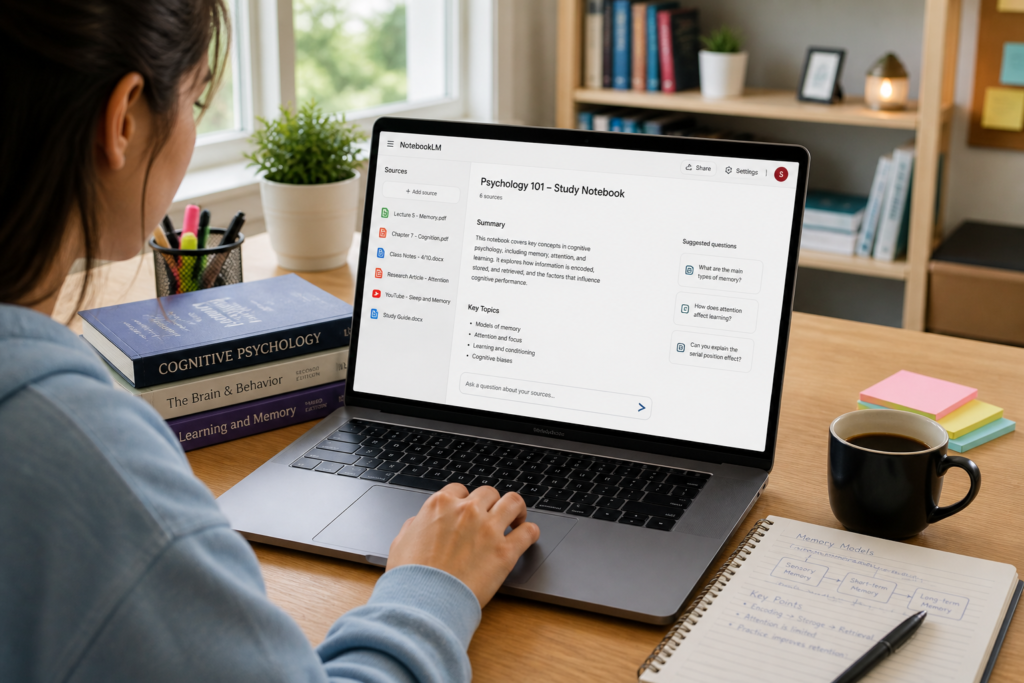
NotebookLM is one of the best free AI tools for students who work with PDFs, lecture slides, class notes, and reading lists. Google says it is an AI-powered research assistant that lets you upload PDFs, websites, YouTube videos, audio files, Google Docs, or Google Slides. You can then chat with your notebook using information grounded in those sources and with clear in-line citations. It can also create study guides, briefings, audio overviews, mind maps, and more from your material. In other words, it is built to help you learn from what your teacher actually gave you.
That makes NotebookLM a strong tool for exam prep. Instead of asking a general chatbot to explain a topic from scratch, you can feed it your lecture notes and reading material, then ask for the main ideas, likely quiz questions, or a one-page study sheet. It is better for factual class work than a generic chat assistant because it stays tied to your sources. If you are checking access before an important project, it is helpful to know that Google says NotebookLM is available in browsers to users over the age of consent in supported countries.
Best for: reading-heavy classes, exam prep, thesis notes, and source-based study.
Watch out for: it works best when you upload good source material, not random bits of text.
4) Perplexity: quick research with a search-first approach
If you need fast answers without opening ten different tabs, Perplexity is a great free AI research assistant. The company says the free plan includes search history, a large number of basic searches, a small number of Pro Searches, basic file uploads, and no access to advanced AI models, image generation, or premium support. That makes it useful for gathering facts, learning new topics, and doing early research before you move into academic sources.
Perplexity is especially good for students in one specific way: it is not just about asking a question. It is about quickly understanding what an answer looks like. You can use it to learn what a topic means, identify the main subtopics, or get a rough map before going to JSTOR, Google Scholar, or your course readings. That saves time and helps you avoid the blank page problem. Just remember that “quick answer” is not the same as “final authority.” Think of it as a smart research helper, not the final stop.
Best for: fast research, topic discovery, and basic source-aware searching.
Watch out for: the free tier has limited advanced features.
5) Grammarly: one of the best free AI writing tools for essays
Grammarly is still a simple and useful option for students who want to write better without spending money. Grammarly says its free grammar checker can find spelling, punctuation, clarity, and grammar problems. The site also makes it easy to create a free account and keep using it. After you sign up, it also provides tips on word choice and tone, as well as inclusive language. That makes it a useful final-step tool for emails to professors, essays, discussion posts, scholarship applications, and cover letters.
Grammarly works best near the end of your writing process, not at the beginning. First, write the draft. Then, use Grammarly to check the document for awkward sentences, missing commas, and unclear wording. That way, you still control the ideas, but the final version reads more smoothly. It is especially helpful if English is not your first language or if you know what you want to say but struggle to make it sound natural.
Best for: essays, emails, cover letters, and final polish.
Watch out for: the free version is useful, but you still need to edit your own work.
6) Canva AI: the easiest free way to make slides, posters, and visuals
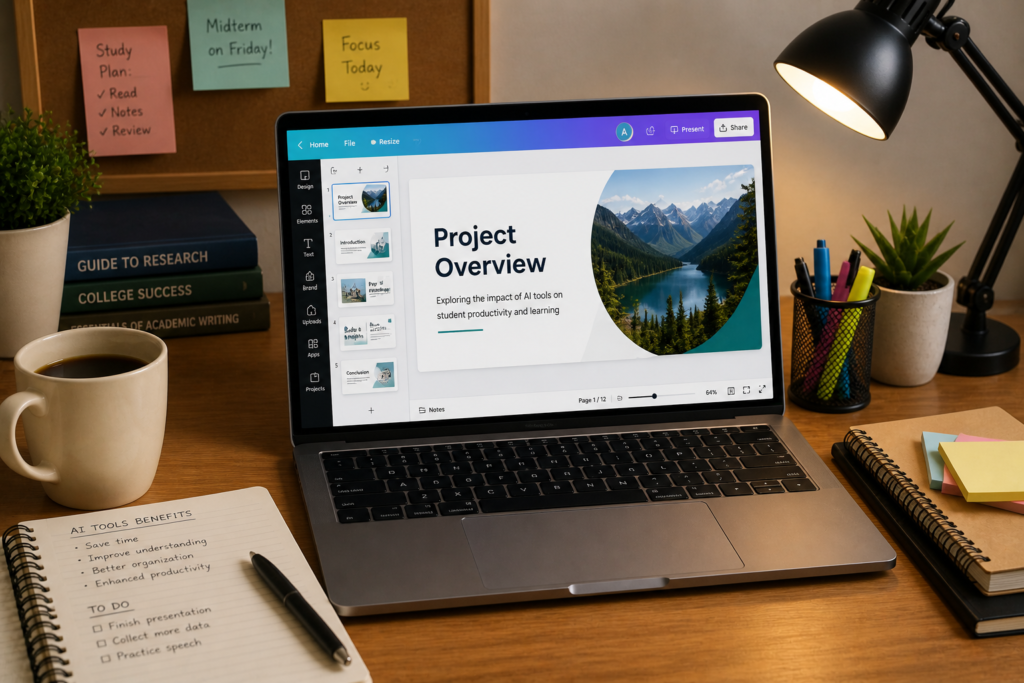
When your assignment is visual, Canva is one of the best choices. Canva says everyone can use its AI features. On the free plan, you can start using a range of AI-powered tools, while premium plans unlock more usage and advanced features. That makes it a great option for students who need presentation slides, infographics, class posters, social graphics, and basic visual summaries. If you have ever stared at a blank slide deck at 1 a.m., Canva can feel like a rescue rope.
The biggest advantage here is speed. You do not need design skills to start from a prompt, improve a layout, and turn plain ideas into something that looks polished. That matters a lot for group projects. One person can handle the writing while another handles the visual design. The result looks more professional, and the team spends less time arguing about fonts and spacing. If your class includes presentations, Canva belongs in your free toolkit.
Best for: slides, posters, visual summaries, and design-heavy assignments.
Watch out for: some AI features work better on paid plans, so check the tool before relying on it.
7) Otter: perfect for lectures, meetings, and group projects
Otter is a very useful tool for students who need help turning spoken words into usable notes. Otter says its free “Basic” plan records, transcribes, and summarizes meetings in real time, with transcription and summaries in English, French, or Spanish. It can also join Zoom, Microsoft Teams, and Google Meet to automatically write and share notes. For students in group projects, club meetings, office hours, or interview-based assignments, that is a huge time saver.
Think of Otter as the tool that catches the things you miss while you are trying to listen. Instead of scrambling to write every sentence, you can focus on understanding what the professor or team actually means. Later, you can search the transcript, pull out key points, and turn the recording into study notes. That is much better than trying to decode a voice memo at midnight.
Best for: lectures, interviews, meetings, and group work.
Watch out for: transcription quality still depends on audio clarity and how the speaker talks.
8) Microsoft Copilot: a simple free assistant for quick help
Microsoft Copilot is another free option worth keeping around, especially if you already use Microsoft products. Microsoft says Copilot is free and available as an AI companion for advice, feedback, and straightforward answers. Microsoft also offers Copilot apps across devices, which makes it convenient when you need quick help on the go. It is not always the deepest research tool, but it is very handy for fast brainstorming and quick clarification.
For college students, Copilot works well as a quick thinking partner. You can ask it to help you rephrase an idea, outline a discussion post, or explain a concept in plain language. If your workflow already lives in Windows or Microsoft 365, it can feel more natural than jumping to another app. It is a good “close by” tool for moments when you need help quickly and do not want to start a long prompt.
Best for: quick answers, idea generation, and lightweight productivity help.
Watch out for: like every AI tool, it still needs fact-checking on schoolwork.
A Simple Student Workflow That Actually Works
The best way to use the best free AI tools for college students is to give each tool a job. Do not expect one app to do everything. That leads to messy work and too much switching. A cleaner workflow looks like this: capture, research, write, refine, and present. Each step gets a tool that is good at that step.
Here is a realistic weekly workflow:
First, record or transcribe lectures, meetings, or group sessions with Otter. Then put your lecture slides, readings, or notes into NotebookLM so you can ask grounded questions and generate a study guide. If you need quick outside context, use Perplexity for a fast research pass. If you are still stuck at the blank page, use ChatGPT, Gemini, or Copilot to brainstorm ideas and build an outline. Once the draft is written, run it through Grammarly. Finally, use Canva to turn your ideas into a clean presentation or visual summary.
That flow works because it follows how students already think. First you collect. Then you make sense of it. Then you write. Then you polish. Then you present. The tools support the process instead of replacing it. That is the real advantage of free AI tools: they help you move from chaos to clarity without requiring a big budget.
What Free AI Tools Should Not Do for You
This part matters more than most people admit. AI can make school easier, but it can also make your work weaker if you lean on it too hard. The fastest way to use these tools badly is to let them think for you. Use them to get a draft, not to erase your judgment. If you cannot explain the result in your own words, you probably used the tool too aggressively.
A few guardrails help a lot:
- Do not submit AI output without reading it.
- Do not trust a single answer on a tricky fact.
- Do not use AI to replace your lecture notes.
- Do not let grammar tools flatten your voice.
- Do not skip citations when your professor expects them.
That is the balance: AI can speed up the process, but your name is still on the assignment. The best work happens when the tool handles the grunt work and you handle the thinking.
Best Free AI Tools for College Students by Use Case
If you only want the short version, this is the simplest breakdown.
For writing: ChatGPT, Grammarly, and Copilot are the easiest starting points. ChatGPT is strong for brainstorming and drafting, Grammarly is strong for cleanup, and Copilot is good for quick idea help.
For research: NotebookLM and Perplexity are the strongest pair. NotebookLM is best when you already have source material and need grounded summaries. Perplexity is best when you want quick search-driven answers and a fast map of a topic.
For notes and lectures: Otter is the cleanest free option for live transcription and summaries. NotebookLM is the stronger follow-up tool when you want to turn your notes and readings into study guides.
For slides and visuals: Canva is the clear winner because its AI tools are available on the free plan and it is built for design work.
That does not mean you need all eight tools. In most cases, four are enough: one for brainstorming, one for research, one for writing, and one for notes or visuals. That keeps your workflow fast and clean.
FAQ: Best Free AI Tools for College Students
About The Author


Hamza Malik
Keep Reading
The Best Free AI Tools for College Students: The Smart Way to Study, Write, and Save Time
A student sits at a desk on a Tuesday night before midterms with three tabs open:…
The Best Free AI Tools for College Students: The Smart Way to Study, Write, and Save Time
A student sits at a desk on a Tuesday night before midterms with three tabs open:…
The Best Free AI Tools for College Students: The Smart Way to Study, Write, and Save Time
A student sits at a desk on a Tuesday night before midterms with three tabs open:…